

app directory. This project uses file-based routing.
Prerequisites
- Node.js
- Yarn or NPM
- a thirdweb account
For Android
For Android
- JDK 17 (Java Development Kit version 17)
- Set the
JAVA_HOMEenvironment variable to point to your JDK 17 installation - Example:
export JAVA_HOME=/Library/Java/JavaVirtualMachines/microsoft-17.jdk/Contents/Home
- Set the
- Android Studio (API version 35 and above)
- See this guide to set up Android Studio for Expo
- Configure Gradle JDK in Android Studio:
- Open Android Studio Settings/Preferences
- Navigate to Build, Execution, Deployment → Build Tools → Gradle
- Set Gradle JDK to JDK 17 (e.g.,
JAVA_HOME 17.0.13-aarch64 /Library/Java/JavaVirtualMachines/microsoft-17.jdk/Contents/Home)
For iOS
For iOS
Get started
Install dependencies
Set up the environment variables
Create a copy of.env.example:
.env file:
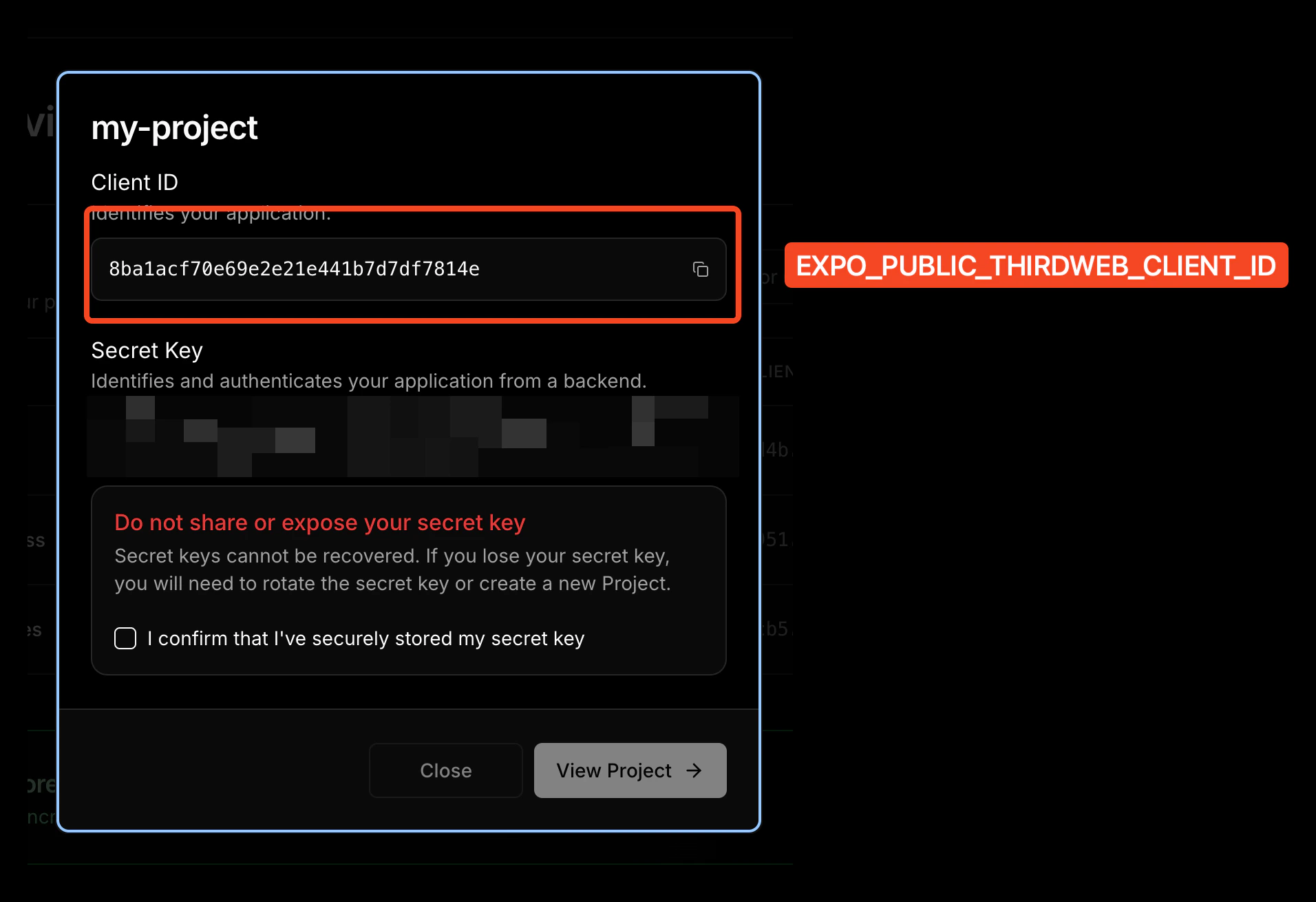
How to get `EXPO_PUBLIC_THIRDWEB_CLIENT_ID`
How to get `EXPO_PUBLIC_THIRDWEB_CLIENT_ID`
- Navigate to thirdweb dashboard
- Sign in or create a new account
- Create a new project

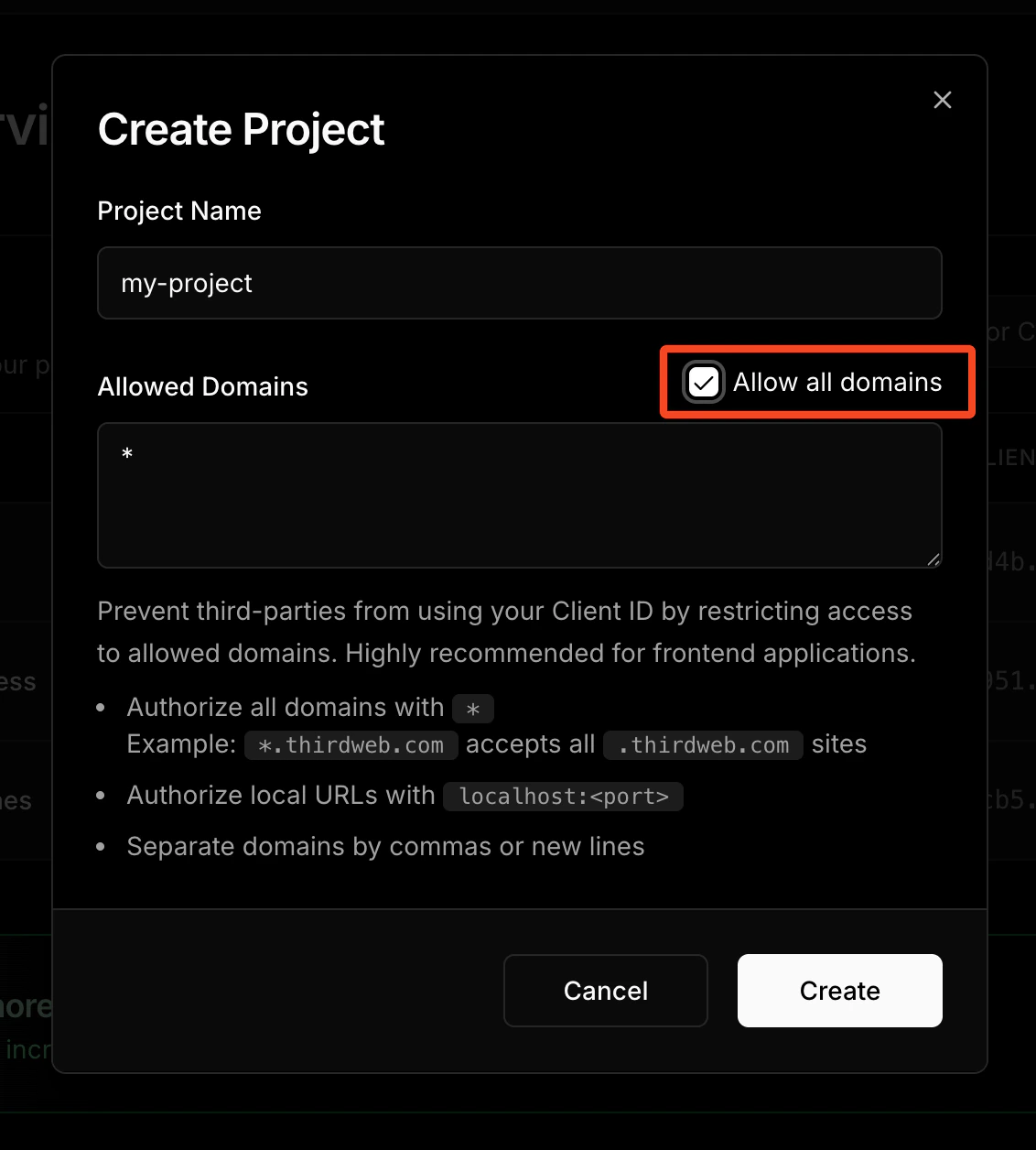
- Copy your Client ID from the project settings; Client ID is the value for
EXPO_PUBLIC_THIRDWEB_CLIENT_ID.
Start the app
Prebuild for native modules
The thirdweb SDK uses native modules, which means it cannot run on Expo Go. You must build the iOS and Android apps to link the native modules.
Folder structure of the template
Customizing your app
Modifying the app name
Edit thename property in the app.json file:
Modifying the app icon
You can edit the app icon by replacing theassets/images/icon.png file.
Recommended App Icon size is 1024x1024.
If you name the icon file something else, edit the icon property in app.json accordingly:
Modifying the splash screen
Edit thesplash object in app.json to modify the splash screen:
Modifying the deep linking scheme
Edit thescheme property in app.json file for your custom deep linking scheme:
mywalletapp, then mywalletapp:// URLs would open your app when tapped.
This is a build-time configuration and has no effect in Expo Go.
Modifying the package/bundleIdentifier
When publishing to the app store, you need a unique package/bundleIdentifier. Change it in app.json:
thirdweb Bundle ID Configuration: Your
bundleIdentifier and package must match the Bundle ID Restrictions configured in your thirdweb project settings.- Go to the thirdweb dashboard
- Select your project
- Navigate to Settings → Bundle ID Restrictions
- Add your iOS
bundleIdentifierand Androidpackageto the allowed bundle IDs
Learn More
To learn more about developing your project with Expo, thirdweb, and Monad, look at the following resources:- Expo: documentation | guides | tutorial
- thirdweb: documentation | templates | YouTube
- Monad: supported tooling and infra